Home / Free Trial
TRY IPTV UK
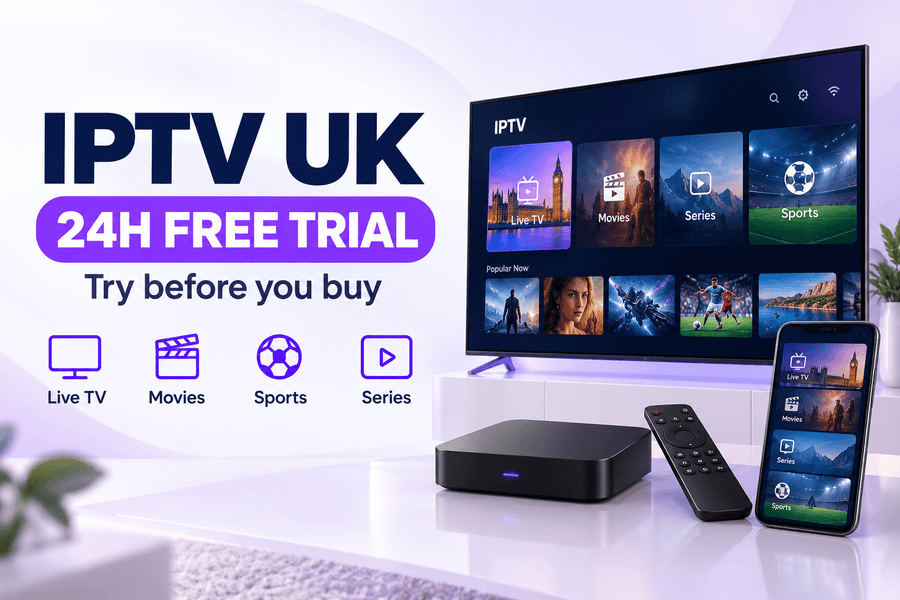
IPTV free trial UK.
24 hours, your screen.
Request your IPTV free trial UK and test for 24 hours on your own device. Check available channels, streaming quality and your internet connection before choosing a prepaid plan. Send your request through WhatsApp.
No payment-card details in the request form.
Your IPTV free trial in 4 simple steps

01
Request your trial
Open the form, enter your name and review the WhatsApp message. Add your device and player to the message before sending your 24-hour trial request.

02
Receive your access
Receive your 24-hour access and setup details. Our team confirms availability and activation time.

03
Test your screen
Check the channels, picture quality and controls you use most.

04
Choose when ready
Compare prepaid plans if the setup suits you. Nothing renews automatically.
Quick tip: activate your trial when you have time to watch. Test on your usual device during your normal viewing hours.
What to test during your free trial
A few simple checks before you decide.

Your favourite channels
Try the available UK channels and programmes you watch most. Ask about any must-have channel before activation.

Streaming quality
Check the picture, audio and channel switching on your usual screen. Streaming quality also depends on the source and connection.
Your connection
Test during your normal viewing hours. Compare nearby Wi-Fi with Ethernet if playback pauses.
The TV guide
Open the programme guide and check current and upcoming listings where the channel and player support them.
Movies & series
Play an available film or episode. Test search, subtitles and audio options where available.

Your device
Check the remote, app controls and login on your chosen device. Ask about the trial screen allowance before changing devices.
What you can check in your 24-hour free trial
Explore available live TV, movies and series on your chosen compatible player. Check the programme guide and playback controls where supported. Tell us which channels matter to you so our team can confirm availability before you start.
Use your IPTV free trial UK on the connection you normally watch with. Follow the device installation guide before adding your supplied login. Independent apps such as TiviMate IPTV Player require compatible devices and may charge separately for a licence.
Ready to choose? Compare IPTV subscription UK plans.
IPTV free trial UK: quick answers
Is the IPTV free trial UK really free?
Yes. Requesting the 24-hour IPTV free trial requires no payment-card details. You can check the service before choosing a plan, and the request does not start a paid subscription. Some independent player apps charge a separate licence fee; ask us about your chosen app before activating it.
How long does the free trial last?
The trial lasts 24 hours. Our team confirms availability and the activation time when sending your access details. Set aside time to test your normal viewing routine, including the evening hours you usually watch. If access details do not work, contact support so we can check the setup.
What can I test during my IPTV free trial UK?
Check your favourite available channels, movies, programme guide and supported picture quality. Availability can change, so send us a short list of must-have programmes before you start. Try navigation, switching channels and playing an available episode. The most useful test is how the service behaves on your own screen.
Which devices support the IPTV free trial UK?
Use a compatible player on your Smart TV, Fire TV, Android device, Apple device or computer. See our installation guide for setup help and check the player developer’s device requirements. Keep account details private. Ask support to confirm the trial screen allowance before trying another device.
What happens when the free trial ends?
When access ends, you decide whether to buy. Compare IPTV subscription UK prices for 1, 2 or 3 simultaneous devices and choose your prepaid period. The trial does not start an automatic paid subscription. If you need help choosing, use our contact page and tell us how many screens you intend to watch together.
How can I check streaming quality?
Use your regular home connection and the device you expect to watch on. Test at different points during the 24 hours. If playback pauses, close unused apps, check your connection and try Ethernet where available. Picture quality depends on the stream, player, equipment and connection; screen resolution alone does not determine the quality of every programme.
What should I send with my free trial request?
Enter your name in the popup; email and telephone fields are optional. The button prepares a WhatsApp message for you to review and send. Mention your device, player and any channels you want to check. Support can then confirm access and explain setup. Never send passwords or payment-card details in your trial request.
Do I need a credit card for the free trial?
No payment-card details are required in the trial request form. Request your 24-hour access through WhatsApp and wait for the team’s confirmation. Any paid player licence is separate from the POD IPTV trial. You decide whether to choose a prepaid plan after testing; the request itself does not take a payment.
When does my 24-hour free trial start?
Our team confirms the free trial activation time with your login details. Request a start time when you can test your usual programmes and device. Opening the request popup does not activate access. If you have received details but cannot sign in, contact support promptly with your device and player name.
How do I set up my IPTV free trial UK?
Use the IPTV installation guide and select Fire TV, Android TV, Smart TV, Roku, Apple, computer or Android phone. Install a compatible player from its official store or developer, then enter the account format supplied by POD IPTV. Your service login and the player installation are separate steps.
What should I do if the trial buffers or will not load?
Test another channel, close background downloads and restart the player. Check the exact server address, username and password supplied to you. Try Ethernet or a stronger Wi-Fi signal where possible. If the problem continues, contact UK setup support with the error message and app version. Keep account passwords out of screenshots.
Ready for your IPTV free trial UK?
Request your 24-hour IPTV free trial and test your own device before choosing a plan.
Request 24h Trial